Botanical Floral Oval Wreath: Versatile Design Assets
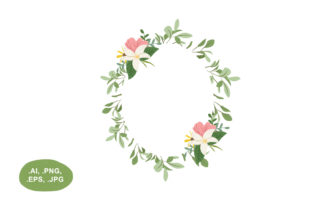
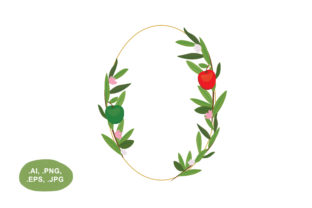
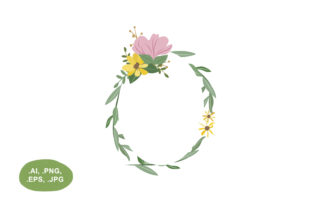
Elevating a design project often comes down to finding the perfect framing element that adds organic warmth without overwhelming the central content. A Botanical Floral Oval Wreath serves exactly this purpose, acting as a sophisticated border for text, photography, or logos. Unlike standard circular wreaths, the oval silhouette offers a more elongated canvas that accommodates longer headlines or portrait-oriented images naturally. When you acquire a high-quality botanical wreath package containing .ai, .eps, .png, and .jpg files with transparent backgrounds, you are not just getting a single decoration; you are securing a versatile toolkit adaptable to countless creative and commercial scenarios.
Understanding the Value of Multi-Format Files
For beginners and seasoned professionals alike, file compatibility is often the biggest hurdle in digital design. Having access to multiple formats ensures that the Botanical Floral Oval Wreath integrates seamlessly into whatever workflow you currently use. Each file type serves a distinct practical function that maximizes the asset's utility.
- PNG with Transparent Background: This is likely the most frequently used format for quick projects. The transparency allows you to layer the wreath directly over colored backgrounds, textured paper, or photographs without needing to manually remove a white box around the leaves. It is essential for web graphics, social media posts, and digital invitations.
- JPG Files: While these typically have solid backgrounds, they are invaluable for printing on white paper or for use in software that does not support transparency. They are also lighter in file size, making them ideal for email newsletters or draft mockups where high-resolution vector data is unnecessary.
- AI and EPS Vectors: These are the source files for Adobe Illustrator and other vector-based programs. They allow you to scale the botanical wreath to the size of a billboard or shrink it to a business card without losing a single pixel of quality. More importantly, vectors let you customize individual elements, such as changing leaf colors, removing specific flowers, or adjusting the curve to fit unique layouts.
Practical Applications Across Creative Projects
The true appeal of a ready-to-use botanical wreath lies in its adaptability. Because the oval shape mimics the natural proportions of many human-made objects like mirrors, signs, and labels, it feels inherently balanced in both digital and physical spaces.
Branding and Small Business Identity
Entrepreneurs and small business owners often need professional branding assets but lack the budget for custom illustrations every time a new campaign launches. A Botanical Floral Oval Wreath provides an instant "established" aesthetic. You can place your logo inside the oval for social media profile pictures, ensuring the brand mark remains legible while surrounded by lush greenery. For product packaging, the vector files allow you to stretch the wreath to fit rectangular boxes or bottle labels, creating a cohesive unboxing experience that signals attention to detail.
Event Stationery and Personal Celebrations
Weddings, baby showers, and anniversaries rely heavily on floral motifs to set the tone. Using a pre-made botanical wreath with a transparent background saves hours of illustration time. You can easily overlay names and dates in elegant typography within the negative space of the oval. Because you have the .ai file, you can match the foliage color to the specific wedding palette, perhaps shifting from sage green to dusty rose or deep burgundy. This level of customization makes digital templates feel bespoke and personal.
Educational and Digital Content Creation
Educators, bloggers, and course creators benefit significantly from these assets when designing worksheets, certificates, or presentation slides. An oval wreath frames certificate titles beautifully without encroaching on the space needed for recipient names. In slide decks, it can serve as a decorative header or footer that softens the rigid lines of corporate templates. The ready-to-use nature of these files means you can maintain visual consistency across hundreds of pages of educational material without redesigning borders from scratch.
Design Considerations for Best Results
While these assets are designed to be user-friendly, achieving a polished look requires some thoughtful application. Simply dropping a Botanical Floral Oval Wreath onto a canvas does not guarantee a professional result. Keeping a few design principles in mind will help you avoid common pitfalls.
Mind the Negative Space: The interior of the oval is your active zone. Ensure there is adequate padding between your text and the inner edge of the foliage. Text that touches the leaves looks cramped and becomes difficult to read. If your headline is long, consider using the vector file to widen the oval slightly rather than shrinking the font to an unreadable size.
Contrast and Legibility: Botanical illustrations can be visually busy. If you are placing text over or near the wreath, ensure sufficient contrast. Dark green leaves may require white or cream text, while lighter pastel florals might pair better with charcoal or navy typography. Utilizing the transparent PNG helps here, as you can adjust the opacity of the wreath layer if it competes too aggressively with your foreground elements.
Resolution Awareness: Always check the dimensions of your PNG and JPG files before sending designs to print. A file that looks crisp on a 1080p monitor may appear pixelated on a 5x7 invitation. For any physical output larger than a standard letterhead, default to the EPS or AI vector files. Rasterizing vectors at the exact print resolution guarantees sharp edges and vibrant colors that raster-only files cannot always provide.
Customization Tips for Non-Designers
You do not need to be an expert illustrator to modify these assets effectively. Modern design platforms like Canva, Affinity Designer, and even PowerPoint offer varying degrees of control over imported graphics. If you are working with the PNG version and want to change the color, many tools offer duotone or tint adjustments that can shift the entire wreath to match your brand colors instantly.
For those with access to vector editing software, consider breaking apart the grouped elements. You might find that removing two or three flowers creates a better opening for a subtitle, or that duplicating a single leaf cluster fills an awkward gap. Treating the Botanical Floral Oval Wreath as a collection of parts rather than a static image unlocks exponential creative possibilities. This modular approach allows you to build custom corners, linear dividers, or asymmetrical accents derived from the original oval form.
Choosing the Right Style for Your Audience
Not all botanical wreaths convey the same message. Before downloading or purchasing, assess whether the specific style aligns with your project’s intent. A dense, realistic oval wreath suggests tradition, luxury, and heritage, making it suitable for law firms, historic venues, or formal weddings. Conversely, a loose, watercolor-style arrangement with plenty of whitespace communicates modernity, approachability, and creativity, which resonates well with lifestyle brands, wellness coaches, and contemporary stationery.
Consider the seasonality implied by the flora. Eucalyptus and pine suggest winter and holidays, while peonies and roses imply spring and summer. However, generic greenery and neutral wildflowers offer year-round versatility. Investing in a neutral Botanical Floral Oval Wreath ensures the asset remains relevant regardless of the calendar date, providing better long-term value for freelancers and agencies managing multiple client accounts throughout the year.
Ultimately, the combination of immediate usability through transparent PNGs and long-term flexibility via vector source files makes this type of asset indispensable. Whether you are crafting a last-minute Instagram story or developing a comprehensive brand identity system, having a professionally drawn botanical wreath in your library removes friction from the creative process. It allows you to focus on messaging and layout rather than struggling to draw symmetrical foliage, ensuring your final output looks intentional, polished, and aesthetically pleasing.